

The first few Make.com scenarios are easy to keep in your head. You know what they do, where they connect and what to check when something fails. That changes once several parts of the business depend on them.
At that point, maintaining the automations matters as much as building them. You need to see failures early, change live workflows without guessing and make sure somebody other than the original builder can understand what is happening.
This guide covers the habits that make that possible: central logging, useful alerts, safer change management, documentation and clear access for the team.
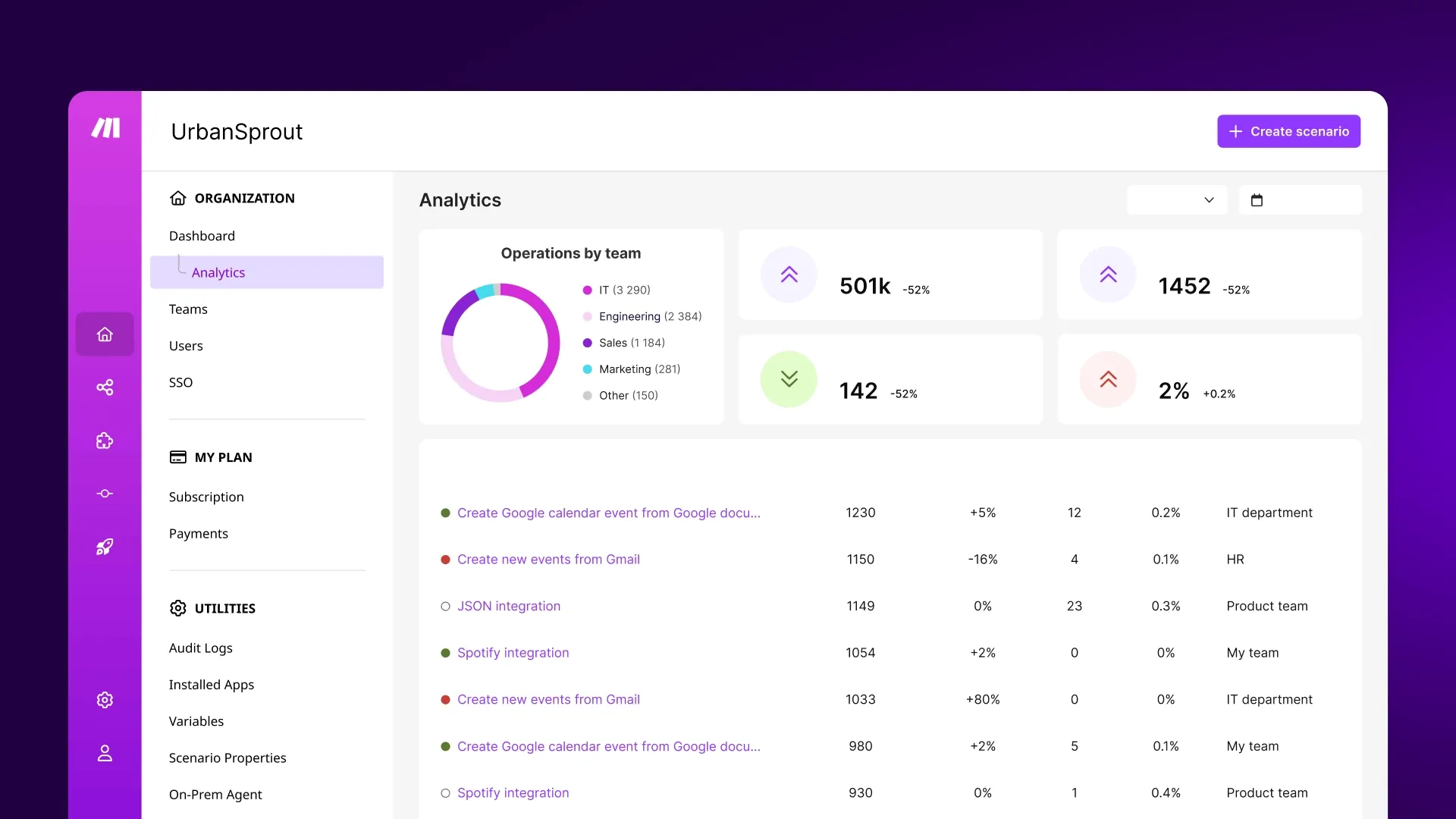
Make.com in built analytics dashboard.
The Foundation: Why Scaling Requires Intentional Architecture
Before diving into specific strategies, it’s crucial to understand why ad-hoc automation management fails at scale. When you’re running a handful of scenarios, you can keep track of everything in your head. But as your automation ecosystem grows, several challenges emerge:
Visibility Gaps: Without proper monitoring, you lose track of what’s working, what’s failing, and where bottlenecks are forming.
Change Risk: Modifying one scenario can have unexpected impacts on others, especially when they share data sources or triggers.
Knowledge Silos: If you’re the only person who understands how your automations work, you’ve created a dangerous single point of failure.
Performance Degradation: As data volumes grow and scenarios multiply, performance issues can cascade through your entire system.
The solution isn’t to avoid growth—it’s to build intentional architecture that supports it.
Monitoring Architecture: Your Automation Command Center
Effective monitoring is the foundation of scalable automation. You need to know not just whether your scenarios are running, but how well they’re performing and where problems might be developing.
Centralized Logging in Airtable
Your first step is creating a centralized logging system using Airtable as your automation command center. This approach leverages Airtable’s strengths while providing a unified view of your entire automation ecosystem.
Create an Automation Logs Base with these essential tables:
- Scenario Executions: Track every scenario run with timestamp, duration, success/failure status, and record counts processed
- Error Log: Capture detailed error information including scenario name, module that failed, error message, and affected records
- Performance Metrics: Monitor execution times, data volumes, and resource usage patterns
- System Health: Track overall system status, API rate limits, and integration health
Implementation Strategy: Add logging modules to each of your scenarios that write execution data to these Airtable tables. This creates a comprehensive audit trail and enables sophisticated analysis.
Performance Dashboards and Metrics
Transform your logging data into actionable insights with performance dashboards. Use Airtable’s interface designer or connect to visualization tools like Grafana or Tableau for advanced analytics.
Key Metrics to Track:
- Execution Success Rate: Percentage of successful scenario runs over time
- Average Processing Time: How long scenarios take to complete
- Data Throughput: Volume of records processed per hour/day
- Error Frequency: Types and frequency of errors across scenarios
- Resource Utilization: Operations consumed vs. plan limits
Dashboard Design Principles: Create role-specific dashboards. Operations teams need real-time status, while management needs trend analysis and business impact metrics.
Alert Systems and Notification Strategies
Proactive alerting prevents small issues from becoming major problems. Design a multi-tiered alert system that escalates appropriately based on severity and impact.
Alert Categories:
- Critical: Scenario failures affecting core business processes
- Warning: Performance degradation or approaching rate limits
- Info: Successful completion of major batch processes
Notification Channels: Use Slack, email, and SMS based on urgency. Critical alerts should reach multiple channels and escalate if not acknowledged.
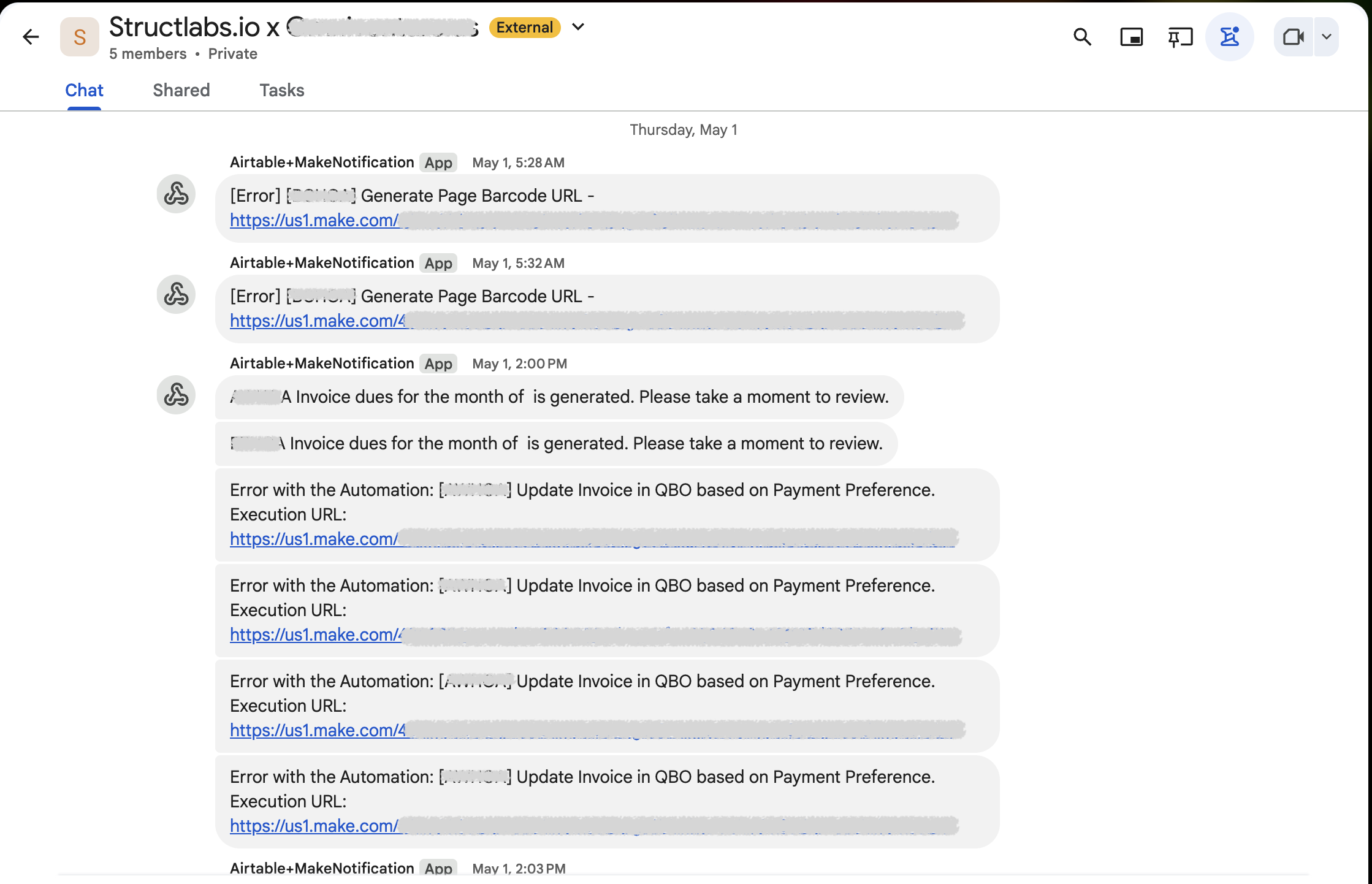
A Airtable+Make.com notification channel we implemented for one of our clients … in Google Chat!
Smart Alerting: Implement alert fatigue prevention by grouping related alerts and using intelligent thresholds that adapt to normal usage patterns.
Version Control Strategies: Managing Change Safely
As your automation systems become more complex, the ability to manage changes safely becomes critical. Unlike traditional software development, Make.com doesn’t have built-in version control, so you need to create your own systematic approach.
Scenario Duplication and Testing Environments
The Three-Environment Strategy: Maintain Development, Staging, and Production versions of critical scenarios.
- Development: Where you build and test new features
- Staging: Where you test with real data volumes but safe endpoints
- Production: Your live, business-critical scenarios
Duplication Best Practices: When duplicating scenarios, update all connection endpoints, webhook URLs, and data destinations to match the target environment. Document the differences between environments clearly.
Testing Protocols: Establish standard testing procedures that verify both functionality and performance before promoting changes to production.
Change Documentation Practices
Scenario Documentation Standards: For each scenario, maintain documentation that includes:
- Purpose and Business Logic: What the scenario does and why
- Data Flow Diagram: Visual representation of data movement
- Dependencies: Other scenarios or systems that depend on this one
- Change History: Log of modifications with dates and reasons
Change Request Process: Implement a formal change request process that requires:
- Impact Assessment: Analysis of potential effects on other systems
- Testing Plan: Specific tests to verify the change works correctly
- Rollback Plan: Steps to revert if the change causes problems
- Approval: Sign-off from stakeholders before implementation
Rollback Procedures and Recovery Plans
Scenario Backup Strategy: Before making any changes to production scenarios, create complete backups including:
- Scenario Configuration: Export the complete scenario structure
- Connection Settings: Document all API connections and credentials
- Filter Logic: Capture complex filter and router configurations
- Custom Code: Backup any custom functions or transformations
Recovery Procedures: Develop step-by-step recovery procedures that can be executed quickly under pressure. Test these procedures regularly to ensure they work when needed.
Data Recovery Considerations: Plan for scenarios where you need to reprocess data after a rollback. This might involve identifying and rerunning specific date ranges or record sets.
Team Collaboration Models: Scaling Beyond Solo Operations
As your automation systems grow, you’ll need to transition from solo management to team-based operations. This requires careful planning around permissions, documentation, and workflows.
Permission Tiers and Access Control
Role-Based Access Strategy: Design permission tiers that match your organizational structure:
- Automation Architects: Full access to create and modify scenarios
- Operations Managers: View and monitor scenarios, limited editing rights
- Business Users: Access to specific scenarios relevant to their function
- Auditors: Read-only access for compliance and review purposes
Make.com Team Management: Use Make.com’s team features to implement these permission tiers. Create separate organizations or teams for different environments (dev/staging/prod) to prevent accidental cross-environment changes.
Credential Management: Implement secure credential sharing using tools like 1Password or LastPass for team access to API keys and service accounts.
Shared Documentation Standards
Documentation Framework: Establish consistent documentation standards that every team member can follow:
- Scenario Naming Conventions: Clear, descriptive names that indicate purpose and environment
- Module Labeling: Consistent labeling of modules within scenarios
- Comment Standards: Required comments for complex logic or business rules
- Diagram Standards: Consistent visual documentation of data flows
Knowledge Base: Create a centralized knowledge base using tools like Notion or Confluence that includes:
- Scenario Inventory: Complete list of all scenarios with descriptions
- Integration Guides: How to connect to each service you use
- Troubleshooting Guides: Common problems and solutions
- Best Practices: Team standards and guidelines
Change Approval Workflows
Approval Matrix: Define who needs to approve different types of changes:
- Minor Updates: Single approver (team lead or senior developer)
- Major Changes: Multiple approvers including business stakeholders
- Emergency Fixes: Expedited approval process with post-implementation review
Review Process: Implement peer review for all scenario changes, similar to code review in software development. This catches errors and spreads knowledge across the team.
Communication Protocols: Establish clear communication channels for change notifications, including advance notice for scheduled maintenance and immediate alerts for emergency changes.
Practical Implementation Guide
Now let’s walk through implementing these strategies in your own automation environment.
Setting Up Your Monitoring System
Step 1: Create Your Monitoring Base Start by creating a new Airtable base called “Automation Monitoring” with the tables described earlier. Set up views that show recent executions, current errors, and performance trends.
Step 2: Add Logging to Existing Scenarios Gradually add logging modules to your existing scenarios. Start with your most critical workflows and expand from there. Use Make.com’s Airtable modules to create records saving your execution data to your Airtable monitoring base.
Step 3: Build Your First Dashboard Create an Airtable interface that shows key metrics at a glance. Include charts for success rates, execution volumes, and error trends. This becomes your automation command center.
Creating Your Version Control Workflow
Step 1: Establish Environments Set up separate Make.com organizations or clearly labeled scenario groups for development, staging, and production. Configure different data endpoints for each environment.
Step 2: Document Current State Before implementing version control, document all your existing scenarios. Create a scenario inventory with descriptions, dependencies, and current configurations.
Step 3: Implement Change Process Start with a simple change request form (using Airtable) that captures the information needed for impact assessment and approval.
Establishing Team Collaboration Protocols
Step 1: Define Roles and Permissions Map your team members to the permission tiers described earlier. Set up Make.com team access accordingly and document who has access to what.
Step 2: Create Documentation Templates Develop templates for scenario documentation, change requests, and troubleshooting guides. Make these easily accessible to all team members.
Step 3: Establish Communication Channels Set up dedicated Slack channels or email lists for automation-related communication. Create separate channels for alerts, general discussion, and change notifications.
Advanced Scaling Considerations
As your automation systems mature, consider these advanced strategies:
API Rate Limit Management: Implement intelligent queuing and throttling to prevent rate limit violations across multiple scenarios.
Data Archiving Strategies: Plan for long-term data retention and archiving to maintain performance as data volumes grow.
Disaster Recovery Planning: Develop comprehensive disaster recovery plans that include scenario restoration, data recovery, and business continuity procedures.
Performance Optimization: Regularly review and optimize scenario performance, including bundle processing, parallel execution, and efficient data filtering.
Start with the automations the business cannot afford to lose
You do not need to introduce every control at once. Begin with the scenarios people depend on most. Add logging that tells you what failed, keep a known-good copy before making changes and write down enough context that another person can follow the flow.
As the number of scenarios grows, do the same for access, testing and alerts. The aim is simple: your team should be able to understand, maintain and change its automations without relying on one person’s memory.
This post is part of the StructLabs.io Make.com Automation Mastery series.
AI Disclosure: This article was drafted with the assistance of an AI model.
Images and animations taken from the Make.com website and Make.com community website.